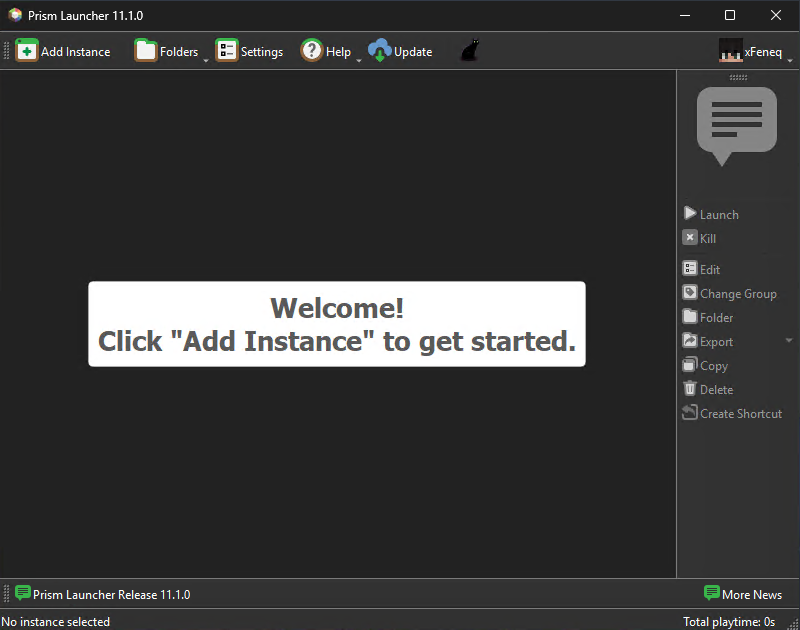
How to Install Prism Launcher
Prism Launcher is a free, open-source custom launcher for Minecraft that allows you to easily manage multiple isolated instances, install modpacks from CurseForge, Modrinth, and FTB, and control memory and Java runtimes independently.
Part 1: Downloading the Installer
Section titled “Part 1: Downloading the Installer”-
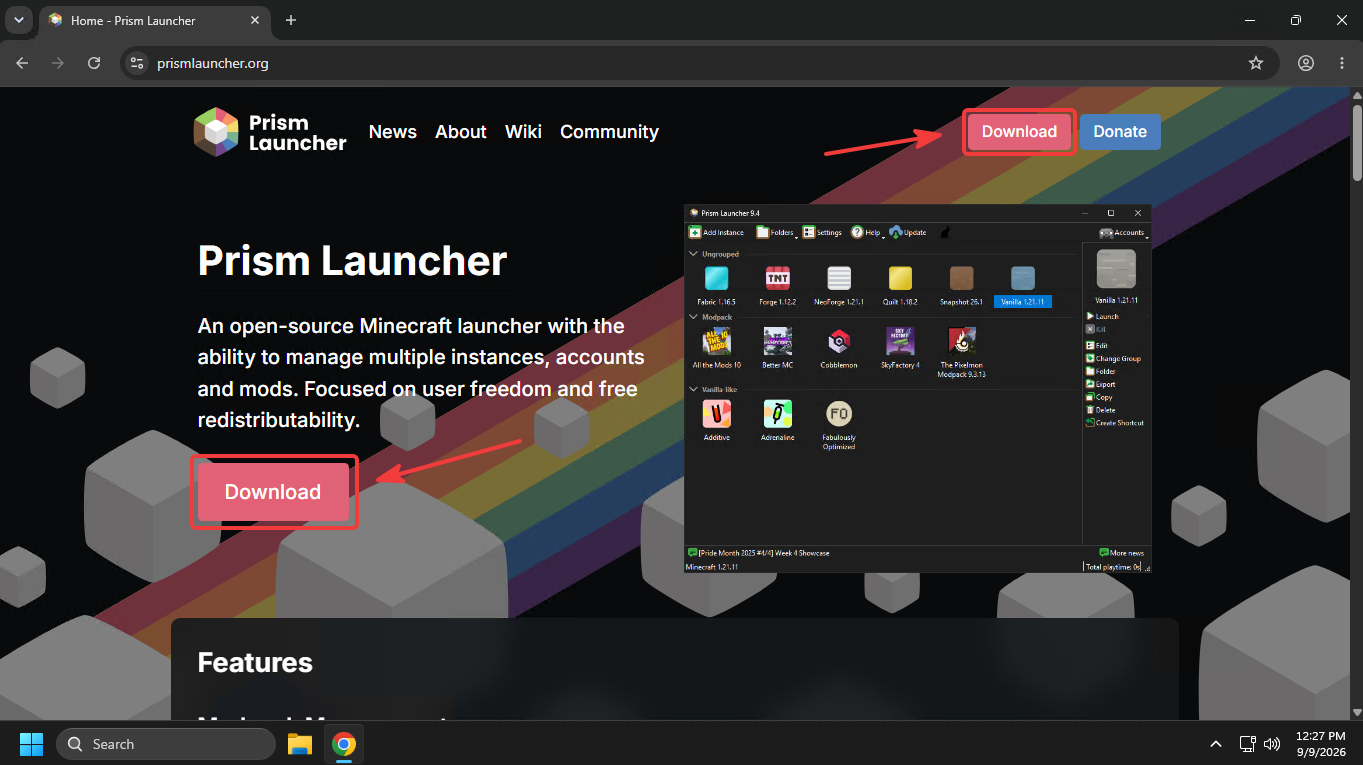
Navigate to the official website at prismlauncher.org and click the primary Download button on the homepage.
-
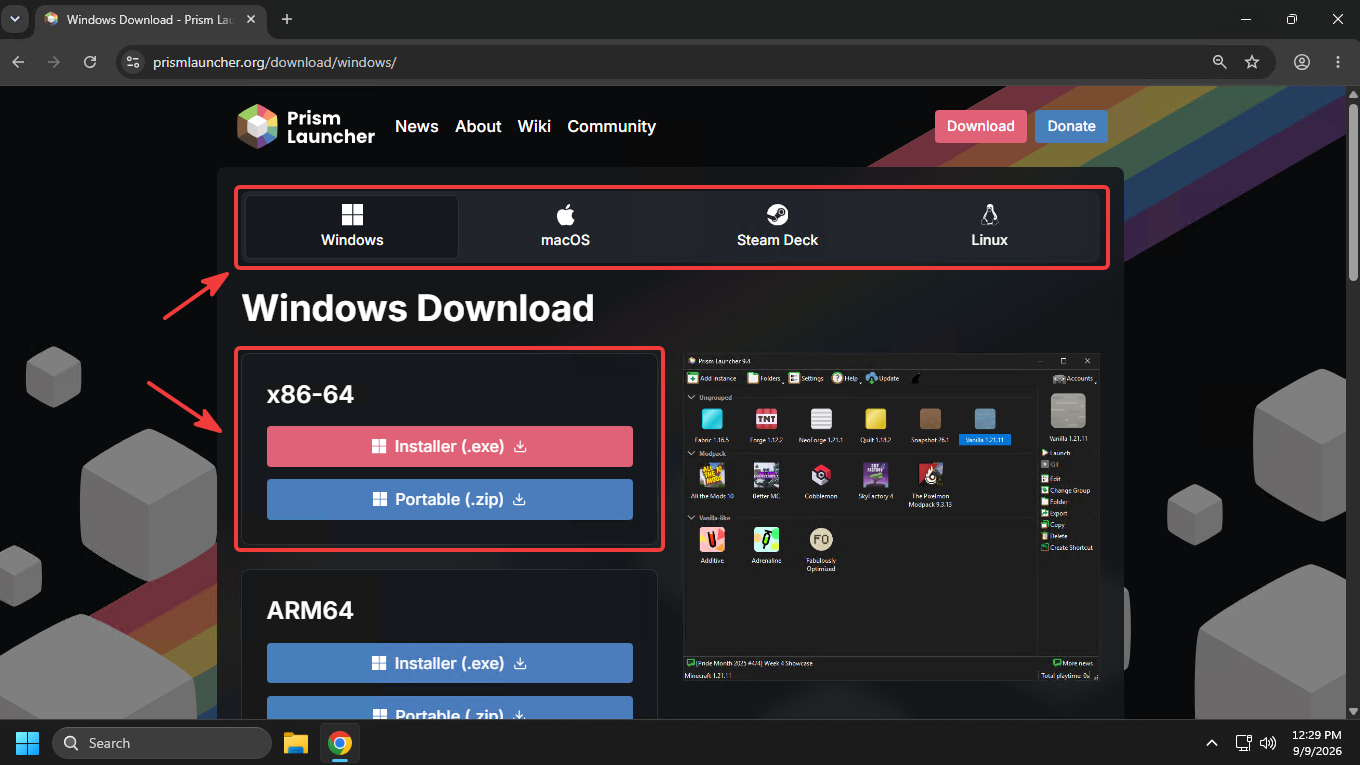
Choose your operating system and preferred distribution type (installer, portable zip, etc.). For a standard Windows setup, select the Installer under the x86-64 architecture.
-
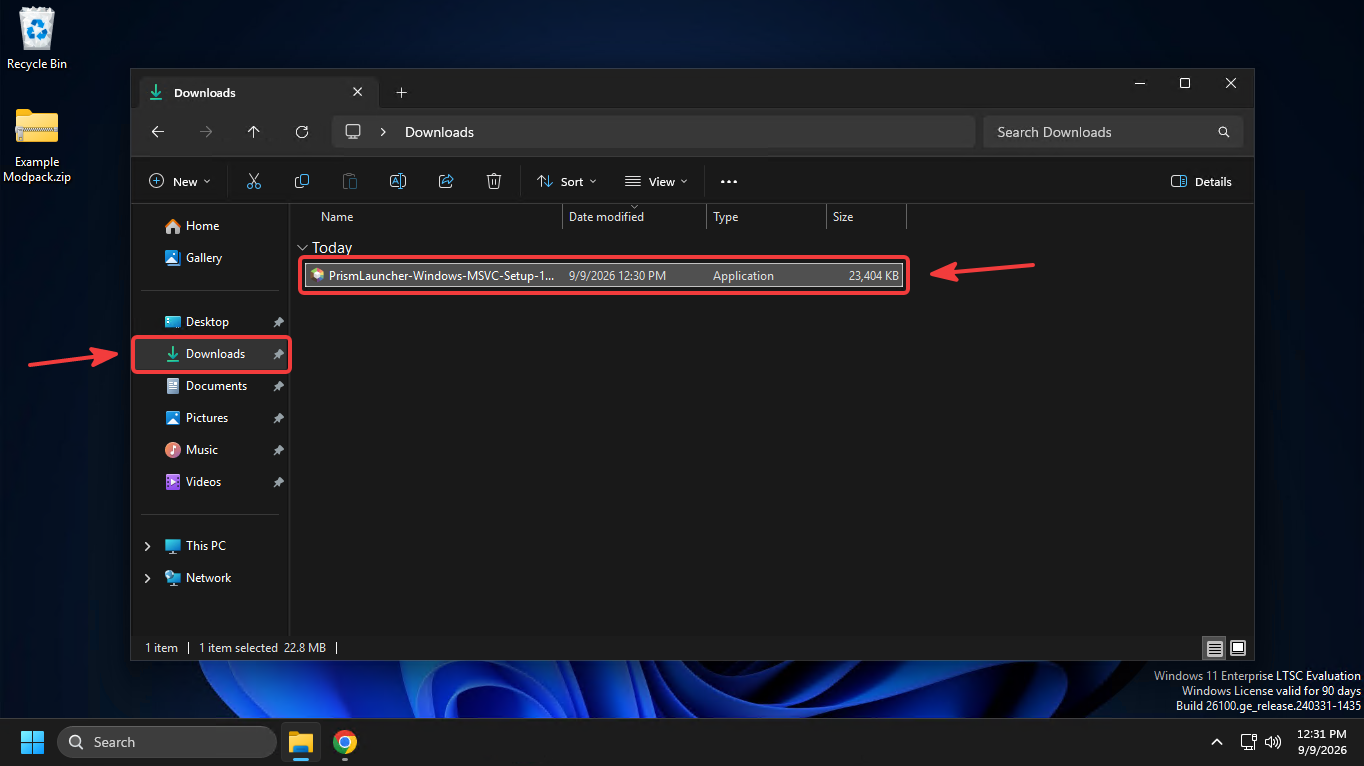
Wait for the download to complete, then navigate to your downloads directory and run the installer executable.
Part 2: Installation Process
Section titled “Part 2: Installation Process”-
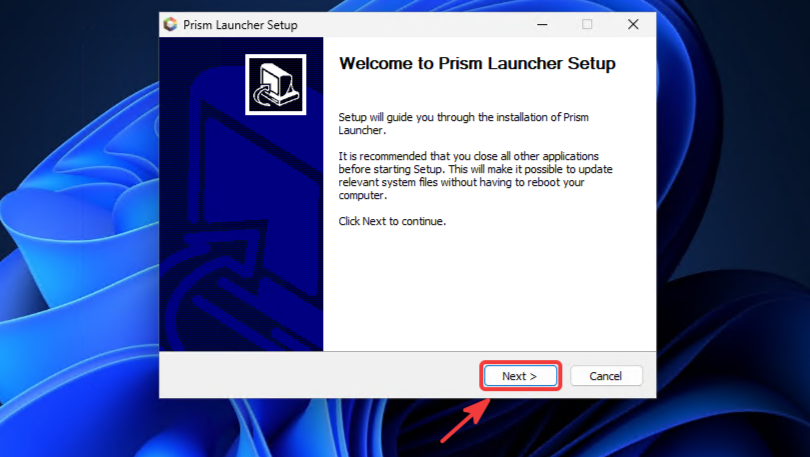
Launch the downloaded setup file. Once the setup wizard appears, click Next > to proceed.
-
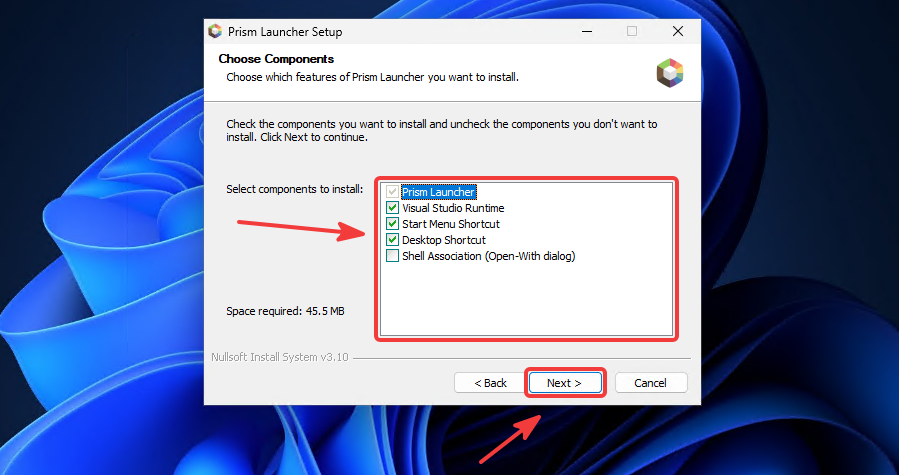
Configure your installation preferences. It is recommended to enable the Desktop Shortcut option for quick access, then click Next >.
-
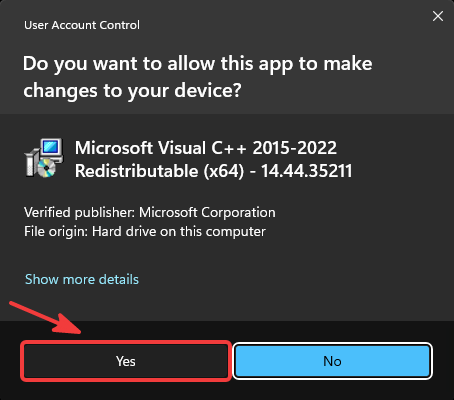
If prompted by User Account Control (UAC) or a dependency installer (such as Microsoft Visual C++ Redistributable), click Yes to grant permission.
-
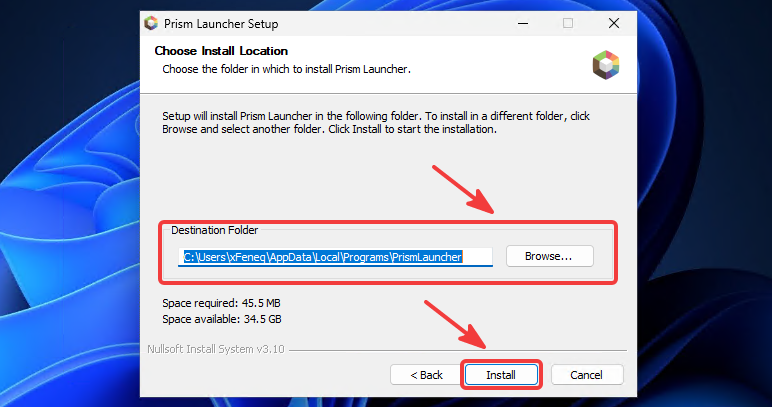
Select the destination directory for the installation—or keep the default path—click Next >, and wait for the installer to unpack the files.
-
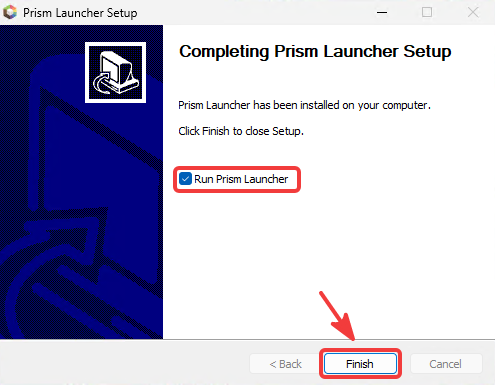
Once the setup finishes, ensure the Run Prism Launcher checkbox is checked and click Finish.
Part 3: First-Time Setup
Section titled “Part 3: First-Time Setup”When launching Prism Launcher for the first time, a quick setup wizard will guide you through default system preferences:
-
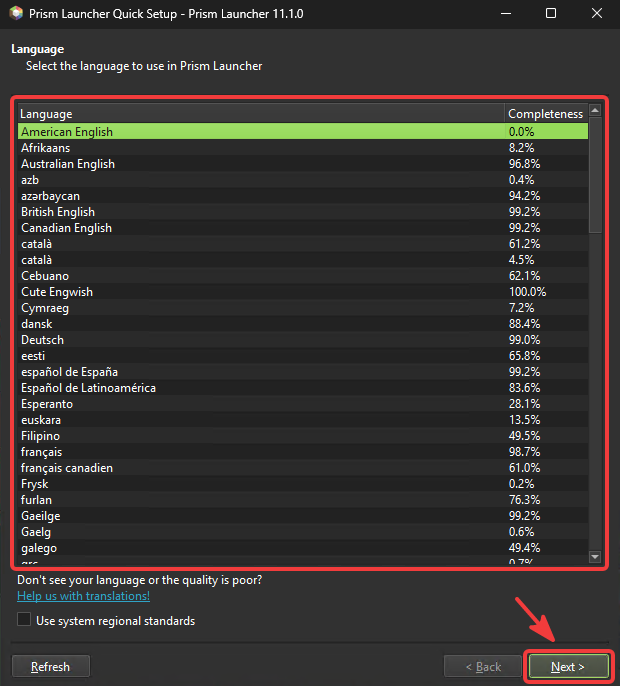
Language Selection: Choose your preferred display language (e.g., American English) and click Next >.
-
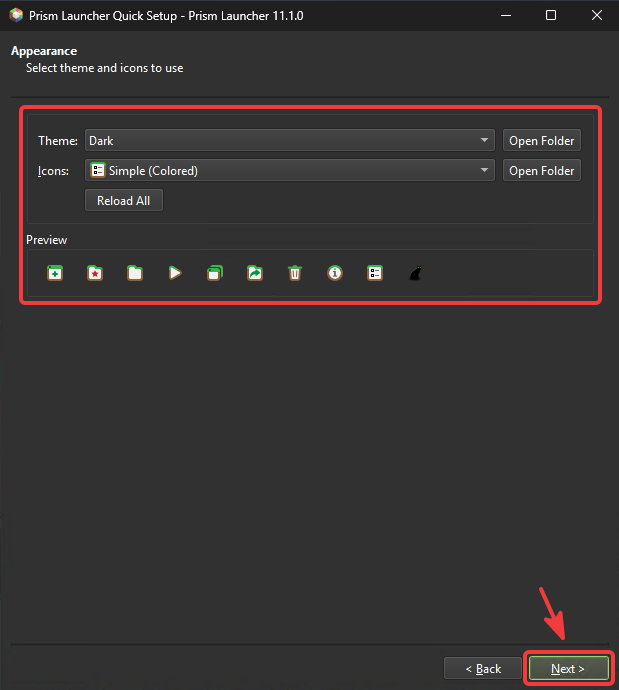
Appearance & UI: Customize your launcher interface theme and icon pack (e.g., Dark theme), then click Next >.
-
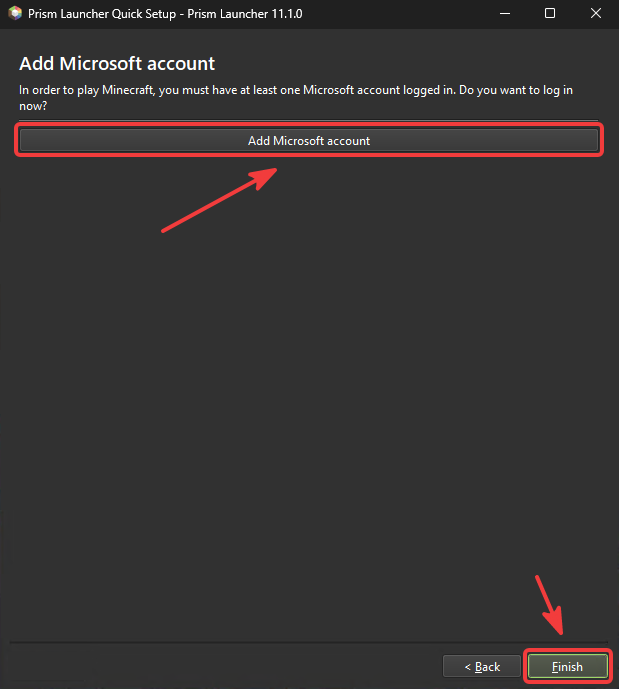
Add Account Prompt: Click Add Microsoft account to start connecting your official Minecraft profile.
-
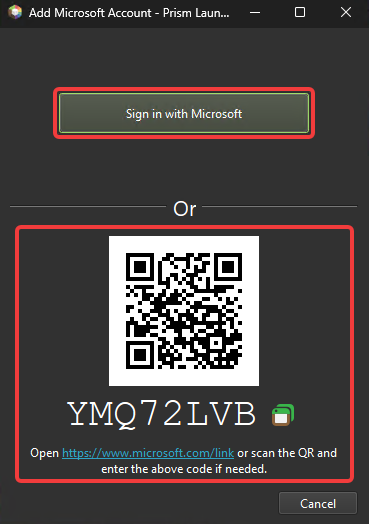
Authentication: Click Sign in with Microsoft to authenticate in your browser, or scan the provided QR Code using a mobile device.
-
Completion: Verify that your profile has been successfully linked. Prism Launcher is now ready for use.